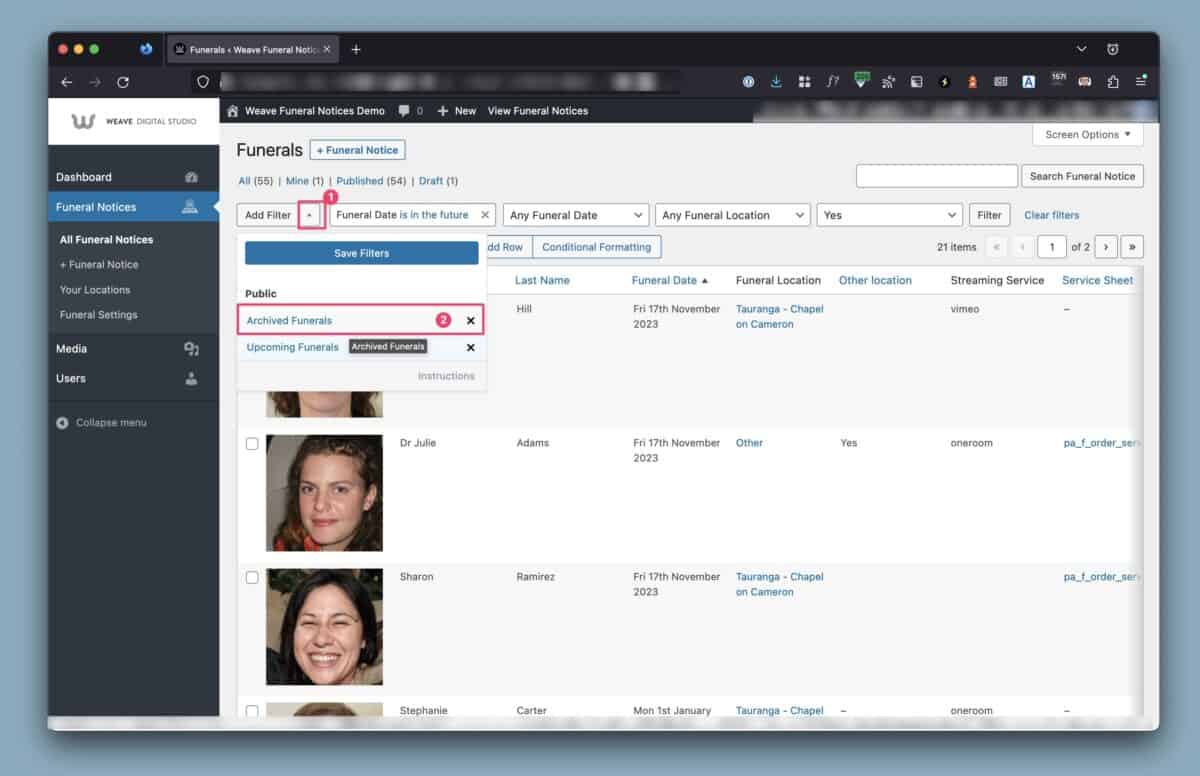
In the backend, choose the arrow next to Add Filter, then select ‘Archived Funerals’
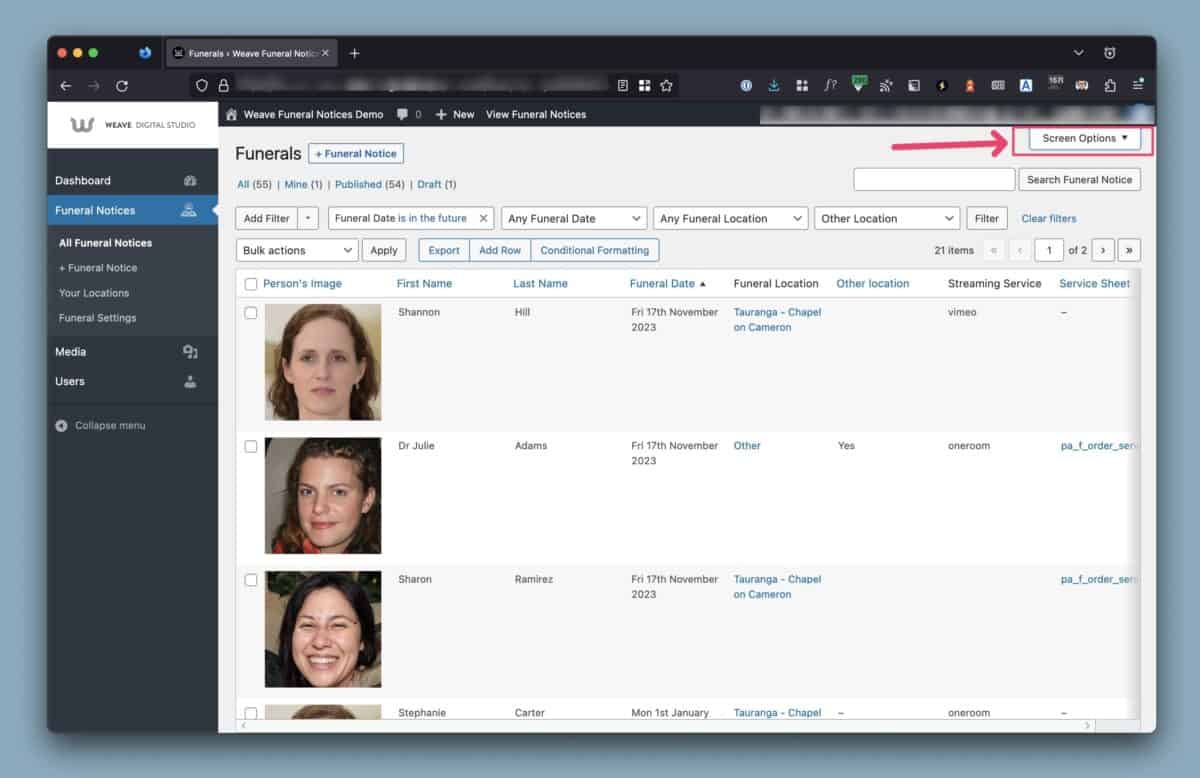
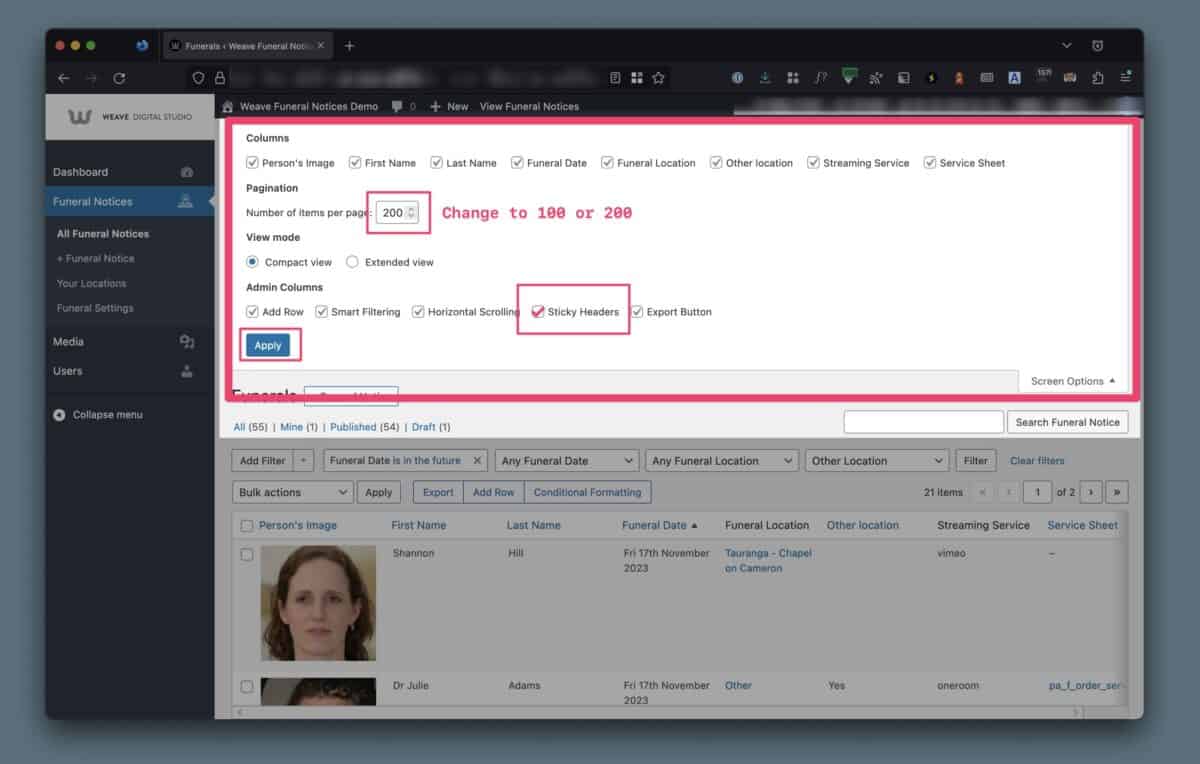
You can also change the amount of funerals you can see and filter in the backend from the ‘Screen Options’ at the top right.
We like to set this high to 100 or 200.
Be sure to click Apply at the end. You browser should remember this setting for you.