

NOTE: Permission needs to be obtained to publicly use emailed reviews or feedback. This should be incorporated into any request made for reviews.
To manually add a review or testimonial from a customer select ‘Add or Import’.
Then ‘Add Single’
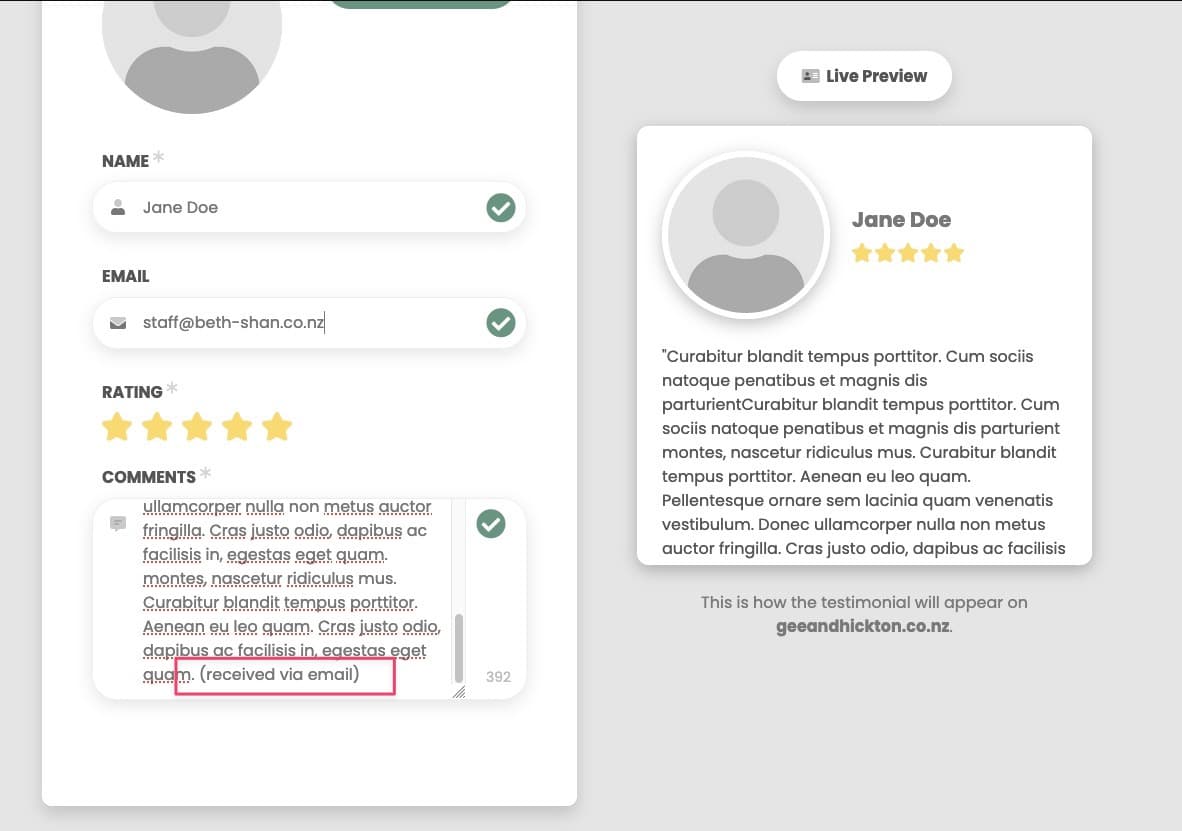
Paste the review in the box, give it 5 stars and add the person’s name if you want.
Add your location email address and click send.
It will now appear along with your Google reviews on your website.
Attached below are the InvoCare review guidelines.
For manual reviews not automatically pulled in from Google or Facebook you will need to add how this review was obtained at the end of the review.
For example (received via email) as per below.
How to add a manual review